Multi-Monitor Desktop Utility · v1.3.0

Your icons stop covering
the best part of your wallpaper

WallpaperFlow scores every region of your wallpaper for visual interest, then moves your desktop icons into quiet negative-space zones — around faces, subjects and focal points instead of on top of them.

Published by Stealth Keqing. Features true multi-monitor topology support, negative virtual coordinates, per-monitor DPI, automatic safety snapshots, and instant undo.

Measured, on a real desktop

Every number here came from running the build on a 1920×1080 Windows 11 desktop with 14 icons. Saliency is on a 0–1 scale, so lower is quieter — that is the whole point of the tool.

0.0022mean saliency of cells it chose
0.1770mean saliency of the whole screen
10 / 14icons repositioned in a live run
14 / 14distinct positions — no icons stacked

What it actually decides

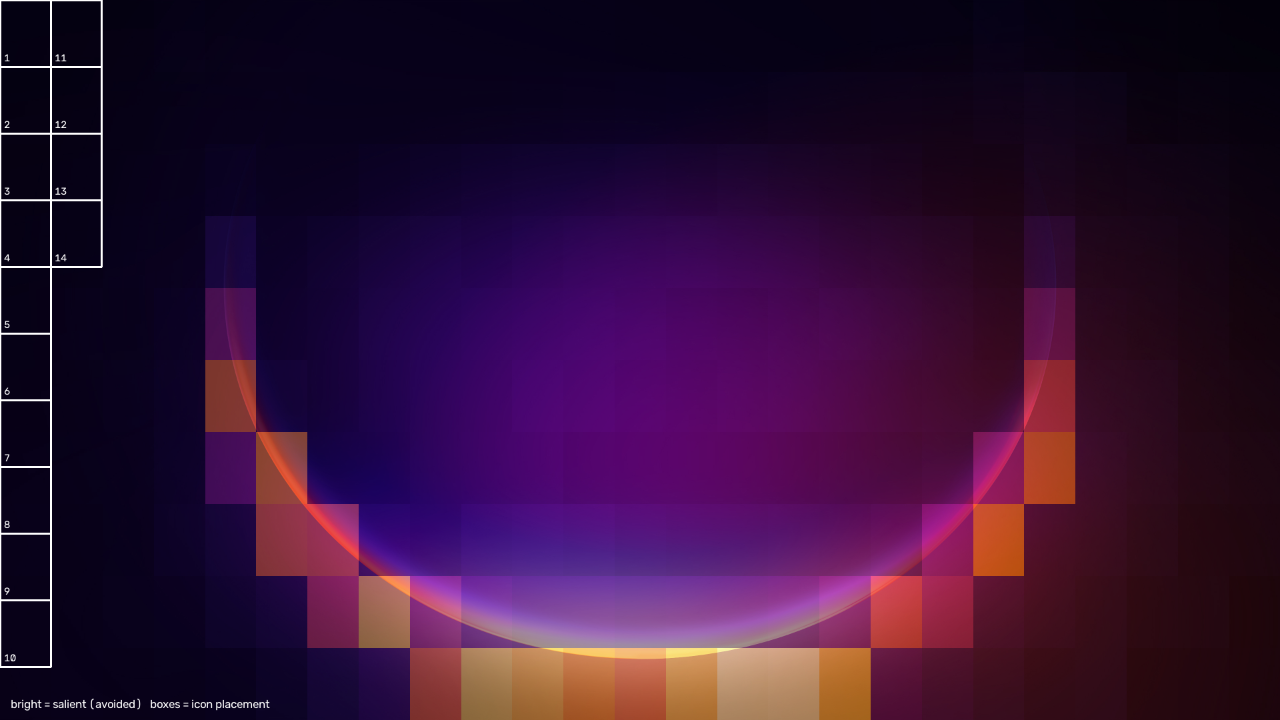
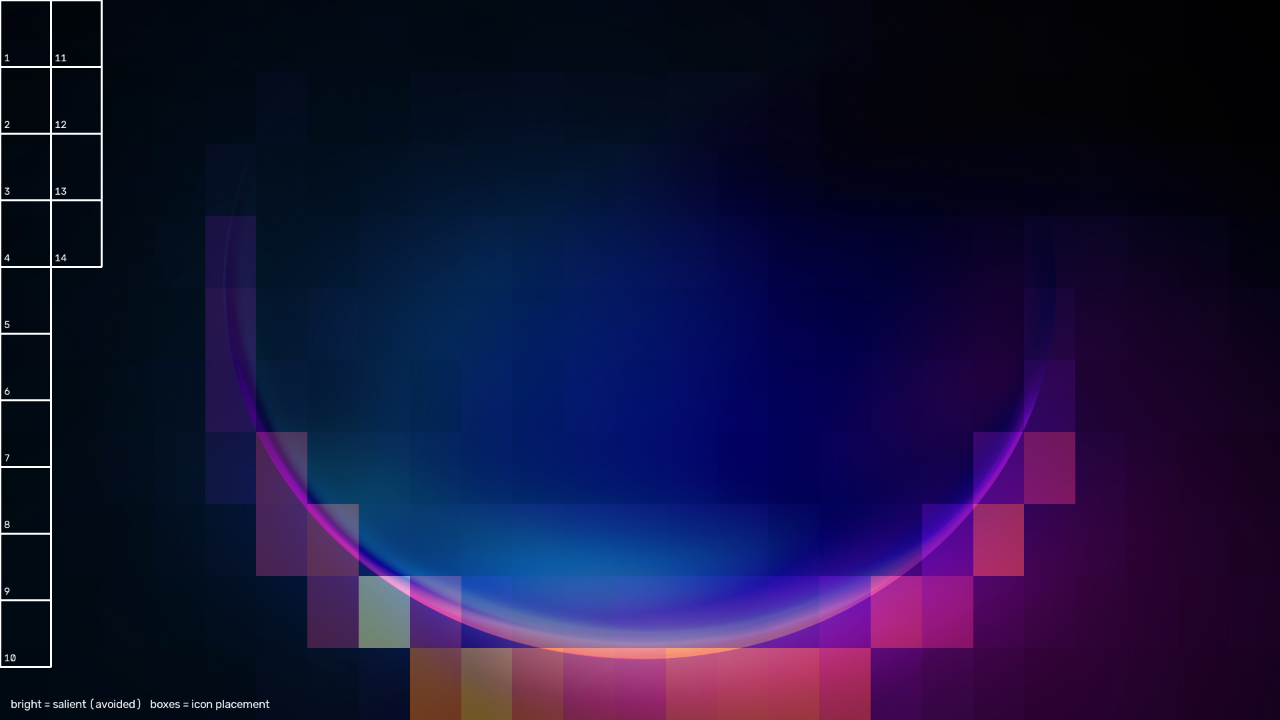
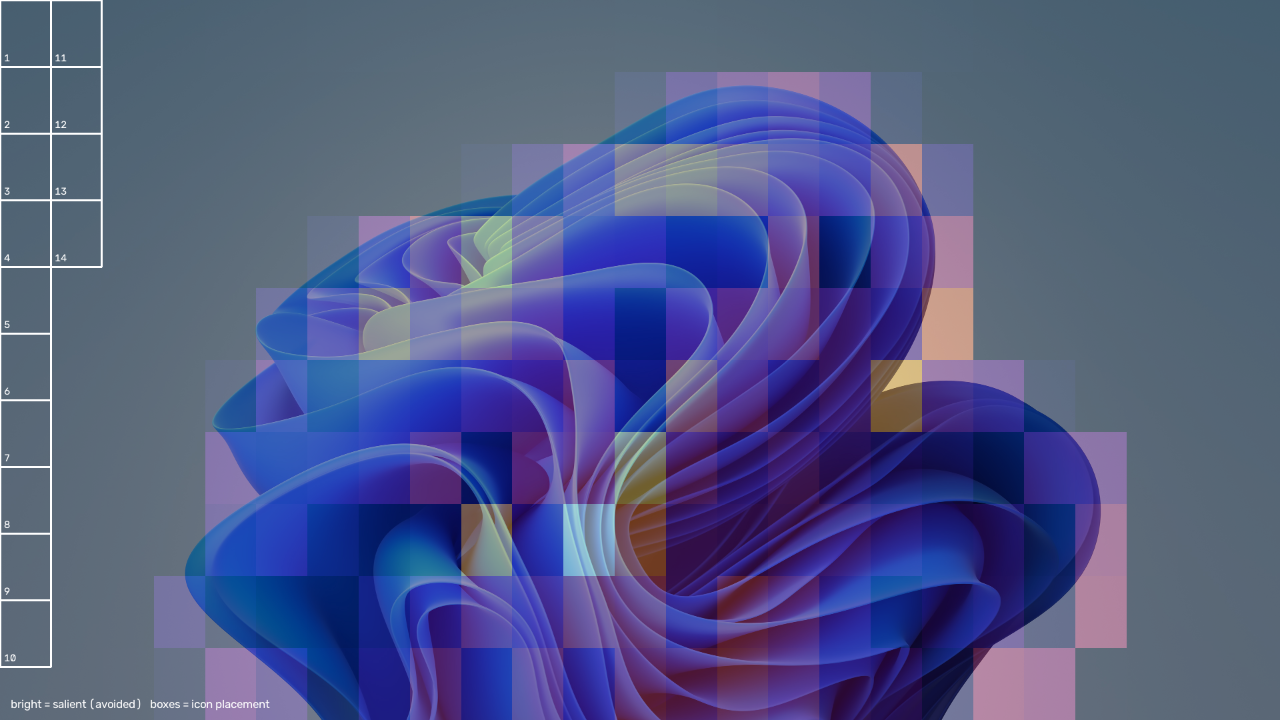
Bright areas are what the engine considers visually important and avoids. The numbered boxes are where your icons end up. These renders are produced by the tool itself with --visualize, from Windows' own stock wallpapers.

Saliency heatmap over an abstract blue wallpaper, with fourteen numbered icon cells placed down the empty left edge.
The bloom fills the centre, so all fourteen cells go down the flat left edge. chosen 0.0022 · screen 0.1770
Saliency heatmap over a landscape wallpaper, icon cells clustered in the low-detail region.
A quieter image still has structure, and the placement follows it. chosen 0.0076 · screen 0.1124
Saliency heatmap over a third wallpaper with icon cells in the calm area.
Even on a mostly-flat wallpaper it finds the calmest corner. chosen 0.0144 · screen 0.0887

How it works

Three saliency signals

Sobel edge density, local contrast variance, and spectral residual saliency in the frequency domain, combined 0.35 / 0.25 / 0.40 into one score per grid cell.

Assignment, not sorting

Icons are matched to cells by Hungarian assignment, with a displacement penalty so icons stay near where they already were instead of being reshuffled on every wallpaper change.

Explorer's own grid

It asks the shell for its real icon pitch — 76×100 px on the test machine, not the 96×96 you might assume — so placements land on distinct grid slots rather than snapping on top of each other.

Only realigns on change

Daemon mode fingerprints the wallpaper and acts when it actually changes, rather than rearranging your desktop on a timer.

Platform support

Stated plainly, because the tool has no way to move icons on a desktop it cannot talk to.

PlatformAnalyse wallpaperMove iconsNotes
Windows 10 / 11 YesYes Verified on a live desktop. Turn off Auto arrange icons.
Linux YesNot implemented Reports it cannot place icons and exits non-zero. --visualize works.
macOS YesNot implemented Same as Linux.

Use it

# launch interactive monitor picker and layout preview window
WallpaperFlow.exe

# align icons on Monitor 1 only, or all connected displays
WallpaperFlow.exe --monitor 1
WallpaperFlow.exe --monitor all

# lossless instant undo and layout safety snapshots
WallpaperFlow.exe --undo
WallpaperFlow.exe --backup

# list connected displays, DPI scales, and work areas
WallpaperFlow.exe --list-monitors

# see what it would do without moving any icons
WallpaperFlow.exe --dry-run --visualize desktop.png

# stay running and realign whenever the wallpaper changes
WallpaperFlow.exe --daemon --interval 15

Auto arrange must be off

Right-click the desktop → View → untick Auto arrange icons. With it on, Explorer discards every position and the tool will tell you so rather than pretending it worked.

Align to grid snaps placements

Leaving Align icons to grid on is fine — the tool lays out on Explorer's real pitch. It does mean a target closer than one cell to where an icon already sits will not move it.

Guide

From download to a desktop that stays tidy on its own. Five minutes, and the first two steps change nothing.

  1. Download and put it somewhere permanent

    One file, nothing to install. %LOCALAPPDATA%\Programs\WallpaperFlow\ is a good home, which matters if you start it with Windows later.

    SmartScreen will say Windows protected your PC because the exe is unsigned: click More info → Run anyway.

  2. Preview first. This moves nothing

    It is a command-line tool, and a double-click closes the window before you can read it. Open the exe's folder, click the address bar, type cmd, and press Enter. Then run:

    WallpaperFlow.exe --dry-run --visualize preview.png

    Open preview.png. Bright areas are kept clear and the numbered boxes are where icons would go. The terminal prints the saliency of the chosen cells against the whole screen. The lower, the quieter.

  3. Turn off Auto arrange, then apply

    Right-click the desktop → View → untick Auto arrange icons. Leave Align icons to grid as it is.

    WallpaperFlow.exe

    You'll see Repositioned 10 of 14 icons or similar. Icons that did not move were already in their best cell.

  4. Keep it running (optional)

    Realign whenever the wallpaper changes, and only then:

    WallpaperFlow.exe --daemon --interval 15

    To start it with Windows: press Win+R, type shell:startup, and create a shortcut to "…\WallpaperFlow.exe" --daemon --interval 15 --quiet. Set the shortcut to Run: Minimized. Delete it to stop.

  5. Undo

    There is no undo command yet, so preview with --dry-run until you like the result, and screenshot your desktop if its exact layout matters. For a plain tidy grid back at any time, tick View → Auto arrange icons. To uninstall, delete the exe and the startup shortcut. It keeps no settings and writes nothing to the registry.

If it says it didn't work

It never prints success for work it did not do. Exit code 0 = applied, 2 = could not apply here, 3 = icon count unreadable.
Message starts withFix
Explorer discarded the new positions… Auto arrange is on. Untick it under right-click → View.
Explorer accepted the messages but no icon changed… Every target snapped back to its current cell, so the icons are already well placed. Check with --dry-run --visualize.
Could not determine the desktop icon count… Turn on View → Show desktop icons, or pass --icons N to preview.
Could not locate the desktop SysListView32 A replacement shell owns the desktop. Only the standard Explorer desktop is supported.
…could not read positions back… Run from a normal terminal, not as administrator. If it persists, restart Explorer from Task Manager.
No readable wallpaper… Solid colour or uncached image. Pass --wallpaper C:\path\to\image.jpg.

Only the primary monitor is considered in this version. All flags: WallpaperFlow.exe --help.

Build it yourself

PyInstaller does not cross-compile, so a Windows .exe has to be built on Windows — building on Linux gives you a Linux binary. Needs Python 3.11 or newer.

git clone https://github.com/Arnav1771/wallpaper-flow
cd wallpaper-flow

python -m venv venv
venv\Scripts\python -m pip install -r requirements.txt pyinstaller
venv\Scripts\python -m PyInstaller --onefile --name WallpaperFlow --paths src --version-file version_info.txt src\cli.py

# dist\WallpaperFlow.exe — about 60 MB, OpenCV and NumPy are bundled

Or skip the exe and run it from source. The tests need no desktop and no network:

pip install -r requirements.txt
python src/cli.py --dry-run --visualize out.png

python -m unittest discover -s tests -v   # 20 tests